A commercial real estate WordPress plugin is easier to evaluate when you separate what a demo shows from what your website purchase actually includes.
I recommend using Calico’s public listing demo as a place to gather evidence, then asking for written answers about your own property data, editing tasks, and package.
A polished search screen can help you picture the result, but it cannot answer every buying question on its own.
Your goal is simple: understand what you can see, what you still need to test, and what the proposal must confirm.
My expertise is creating commercial real estate websites, and this walkthrough takes that practical website-buying view.
It does not assign an untested rating or promise that a particular integration comes with every design.
If your next website needs a property search, bring your must-have listing tasks to Website Pricing so the package discussion starts with your actual requirements.

The demo shows a starting point for questions.
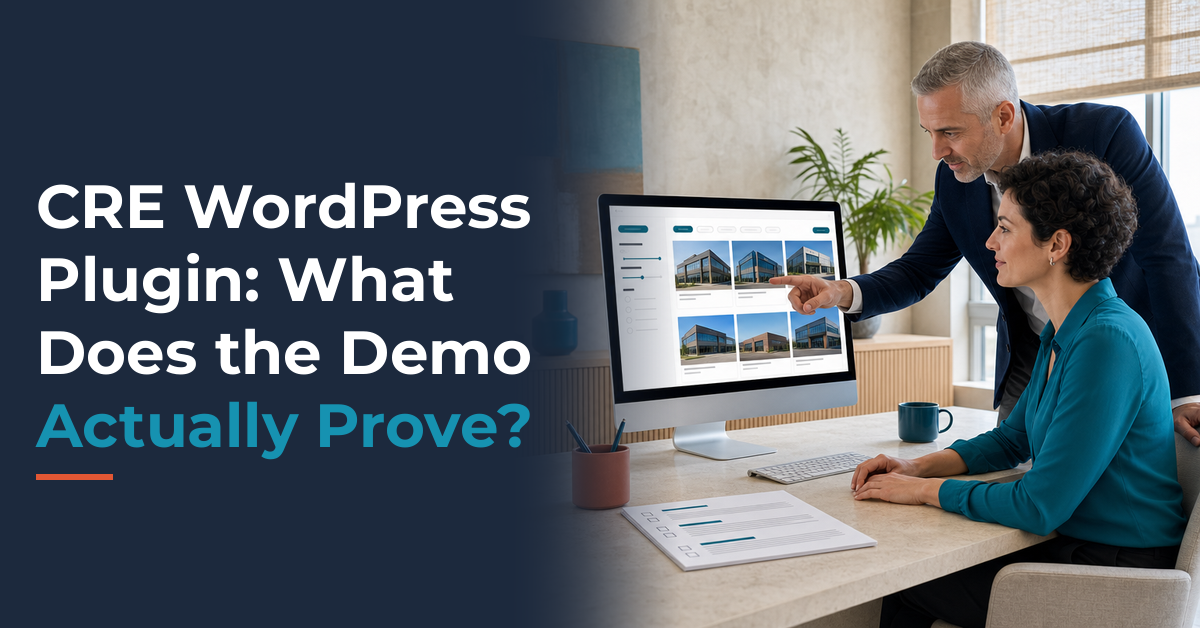
Open the Calico commercial real estate listing plugin demo with a short list of tasks beside you.
The public page displays Grid, Map, and List controls, along with keyword, sale-or-lease, type, size, and price controls.
Its sample inventory includes retail, industrial, multifamily, and land entries.
Those observations tell you which visible elements are worth discussing with the designer.
They do not establish how your inventory will arrive, which controls can be changed, or which package includes the setup.
I would keep three separate notes: what is visible, what has been demonstrated, and what is included in writing.
For example, a Map control is visible on the page, but your map requirements still need a hands-on test and a scope answer.
The sample addresses and asking terms are demonstration content, not current market evidence or a promise about your future listings.
Avoid copying them into a brokerage brief as though they describe a real assignment.
A visible control is a question to test.
Give each observation a plain-language question that relates to your team.
If the page shows a size filter, ask whether your inventory needs building area, available suite area, land area, or more than one of those.
If the page shows an industrial listing with lease terms, ask how your own rate basis and expenses will be labeled.
Do not fill a gap with a guess just because the sample looks familiar.
A useful demo review turns attractive screens into specific questions that someone can answer and price.
That keeps the discussion grounded without making the public example carry more weight than it can support.

Real property examples reveal the right filters.
Choose a small set of permitted examples from your own inventory before the walkthrough.
I suggest one straightforward listing and one awkward listing, because the awkward one often exposes the important requirements.
A hypothetical industrial property might have a whole-building opportunity and a smaller suite available for lease.
A hypothetical land parcel might need acreage and a sale price instead of square footage and a rental rate.
Write down what the visitor needs to find for each example before touching the controls.
Then use the listing demo to see which public controls appear relevant to that task.
Record whether the labels make sense to a tenant, buyer, or cooperating broker who has no knowledge of your office shorthand.
You are testing comprehension as well as the presence of a search box.
Search tests should describe a visitor’s need.
A useful test might ask a visitor to find industrial space for lease within a stated size range.
Another might ask for land offered for sale without mixing acres and square feet in the same expectation.
Try one filter at a time before combining several, and write down the expected result beforehand.
If the sample inventory cannot represent the case, mark that test as unproven instead of marking the feature as missing.
Ask the designer to demonstrate it with approved test data in the proposed setup.
Also ask what a visitor sees when there are no matching properties and how the search can be reset.
These requests are acceptance questions, not claims that the public demo already supports every combination.
A search should help someone narrow a real requirement without needing a broker to translate the controls.

Listing details need clear units and context.
A property card gives visitors a quick preview, but your detail requirements deserve their own notes.
The public demo displays sample addresses, property types, asking terms, and area information.
One industrial sample shows a per-square-foot NNN label, while the multifamily sample includes a unit count.
Those are useful prompts for a discussion about how your own property information should read.
They do not prove that every field, expense description, or property subtype can be configured without extra work.
I recommend listing the information your brokerage must publish for each property type and asking where it will appear.
Include the property name, location, availability, area units, asking basis, and responsible contact.
If a lease rate needs a monthly or annual explanation, make that wording part of the requirement.
The difficult listing belongs in the demonstration.
Ask how the proposed site handles a building with several suites, each with different availability.
A single building total should not be mistaken for the area a tenant can lease.
Likewise, ask how the page handles an undisclosed price without making a blank value look like a free property.
Include photographs, floor plans, and a brochure in your requirements only where your team needs them.
If downloads matter, ask for a demonstration of the actual file access and the task of replacing an outdated document.
Do not infer download behavior from a photograph or a familiar-looking button in a screenshot.
A clean details page should let a visitor understand the offer and the next step without decoding your internal notes.
When a requirement cannot be shown, keep it on the open-question list until the proposed implementation is demonstrated.
A commercial real estate WordPress plugin needs an edit test.
A public search is the visitor’s side of the work, so ask for a separate editor demonstration.
The public listing demo alone does not verify how your staff adds properties, manages permissions, or changes availability.
I would ask the person preparing the quote to show the editing workflow for the setup being offered.
Use a permitted test property and ask the editor to change one ordinary field while you watch.
Then ask where that change appears publicly and whether another step is required before it becomes visible.
The point is to discover the actual work, including any manual step that your team would own.
A clear manual routine may fit a small inventory perfectly well if everyone understands it.
It becomes a buying problem when the proposal leaves the routine unnamed.
Each editing task needs an owner.
Ask who enters the first property, who checks the public result, and who corrects mistakes after launch.
Find out whether that person works in WordPress, another listing system, or both.
If a connection to another service is proposed, ask for the specific service and the requirements that apply to your account.
Do not assume a public plugin demonstration establishes a feed connection or includes a separate subscription.
Also ask whether local changes remain in place after an imported update.
Have the provider explain the actual behavior rather than accepting the broad phrase that everything syncs.
The finished notes should identify the editing location, responsible person, and publication step for each important task.
That gives your staff a routine they can repeat when the office is busy and a broker needs a correction today.

Inquiry tests should protect the property reference.
Before testing any form, agree on a private test setup and the person who will receive the message.
Do not send pretend buyer inquiries through public sample listings just to see what happens.
Instead, ask the provider to demonstrate the proposed inquiry path using authorized test details.
Start from a property, take the intended contact action, and confirm what arrives with the message.
The recipient should be able to identify the property without searching through a vague request for more information.
Ask what happens when a visitor opens two listings and sends an inquiry from the second one.
That simple scenario helps you define which property reference the delivered message should carry.
I would also ask who handles the inquiry when the usual listing contact is unavailable.
Message delivery needs a separate confirmation.
A success message on the website does not by itself establish that the intended person received the inquiry.
Ask to confirm receipt during the agreed test and record the destination alongside the result.
If you need a CRM record, an assignment rule, or a follow-up task, list each one separately in the project scope.
The presence of a contact option does not prove those later steps are included.
Ask what information the form collects and whether each field is necessary for the visitor’s request.
A short, clear inquiry path is easier to review when the expected result is written in plain language.
For broader presentation ideas before the project call, use my Helpful Video Walkthroughs and Tools as a separate resource.
That channel link is a place to browse available videos, not a claim that a specific plugin lesson or setup tutorial exists there.

Package inclusions need written confirmation.
Once you understand the public example, turn your notes into a package discussion.
The website price-list page offers a form for access to the pricing PDF.
The public form page does not provide a complete feature-by-package matrix for this article to verify.
I am therefore not assigning a price, subscription term, or universal plugin entitlement to any package here.
Ask for a current quote that names the listing setup and marks your required tasks as included, optional, or excluded.
Separate the website design work from data entry, migration, external subscriptions, and any ongoing service.
If an item depends on another provider’s account or permission, have that dependency written beside the item.
A total is easier to compare when you know which working result it buys.
A short scope note prevents a broad assumption.
Your note can say that visitors need to search the agreed inventory and send an inquiry that identifies the selected property.
It can also specify the property types, essential fields, and editing demonstration used for acceptance.
Ask the provider to confirm any limit on listing volume, staff access, custom fields, or future changes that matters to your operation.
These are questions to settle, not limitations established by the public page.
For a real client perspective, the Website Design Testimonials page attributes the sentence “The website design process was smooth from start to finish.” to Tyler Muller and Shaun Sierts of Eastgate Commercial Advisors.
That feedback describes their experience; it does not establish your package’s technical inclusions.
Bring the demo notes to the package conversation so the proposed website can be matched to your property search, editing, and inquiry requirements.

Demo notes should lead to a clear decision.
Finish the walkthrough by sorting your requirements into confirmed, still open, and unnecessary for this project.
A confirmed item should have evidence from the proposed setup and a matching written scope answer.
An open item needs a named person and an agreed next step before you rely on it.
An unnecessary item can leave the brief even if it looks impressive on a screen.
I would rather see a short list of useful, demonstrated tasks than a long list of features nobody plans to maintain.
Review the notes with the staff member who will actually update listings after launch.
That person may spot a daily task that a buyer focused on visual design would miss.
Their involvement can make the handoff more practical without turning the project into a hunt for every possible feature.
A simple record makes the follow-up easier.
For each task, record the property example, expected result, observed result, and the written answer about inclusion.
Keep screenshots tied to a date and a specific setup so they are not mistaken for a permanent product promise.
If a task changes during design, update the same record instead of leaving conflicting instructions in separate email threads.
Ask for the remaining questions to be resolved before approving the affected work.
You do not need to reject a useful demo because it leaves questions unanswered.
You do need a clear distinction between what the example illustrates and what the delivered website must do.
Once the listing journey is clear, use my Free Marketing Resources to plan the supporting property marketing, including the available brochure and OM template resources.
The right next step is a scoped conversation about your inventory, with enough evidence to make the purchase comfortable.

Common plugin demo questions have practical answers.
Does the Calico listing demo prove every package includes it?
No, the public demo shows an example listing interface, but it does not establish that every website package includes that setup.
Ask for the current proposal to name the listing tools and the work included for your project.
What should a commercial real estate WordPress plugin demo show?
Ask it to show the search, property details, editing task, and inquiry path that your brokerage needs.
Treat any step that has not been demonstrated in the proposed setup as an open question.
Does a property search demo prove a feed is connected?
No, a visible property search does not establish where its inventory comes from or which external account your website would require.
Ask the provider to identify the proposed data source and confirm any separate access requirements.
Can the demo confirm delivery to a CRM?
The public listing interface alone cannot confirm your proposed CRM delivery or assignment rules.
Use an authorized test and a written scope answer to verify those requirements separately.
How should a brokerage prepare for the package discussion?
Bring permitted property examples, the required visitor tasks, the expected staff editing routine, and a list of unresolved demo questions.
Ask for written confirmation of inclusions, optional work, external costs, and the tests used to approve the delivered setup.